Enlighten
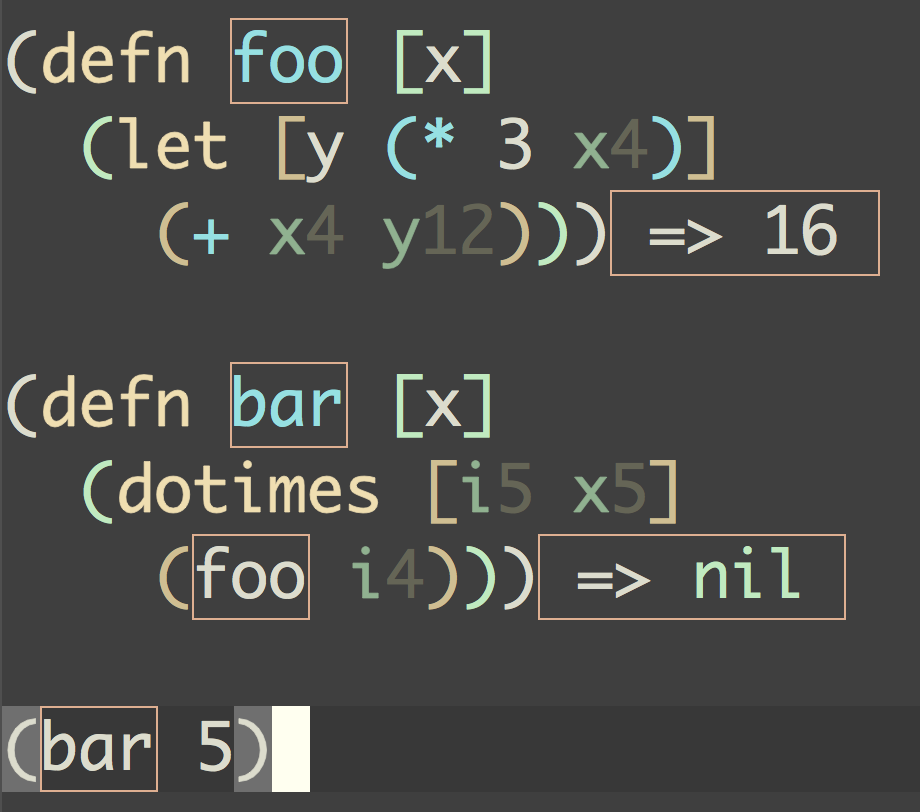
Enlighten Mode displays the value of locals in realtime, as your code runs. This feature is somewhat similar to a feature in the Light Table editor.
To turn it on, issue M-x cider-enlighten-mode. Then,
evaluate your functions one at a time using C-M-x or
C-x C-e. Note that C-c C-k won’t work.
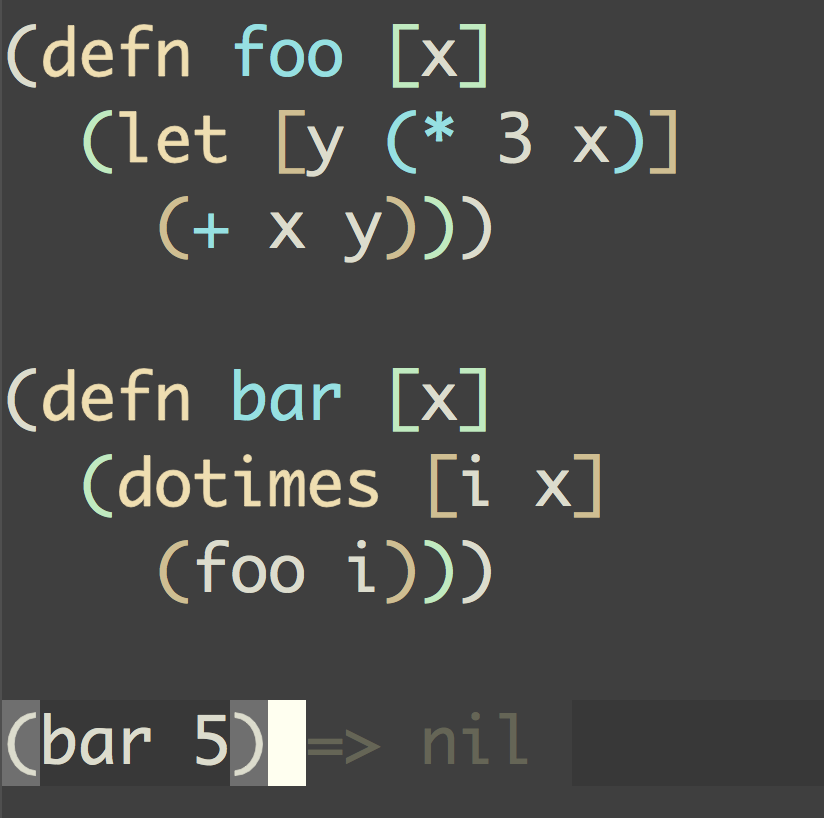
That’s it! Once your code executes, the regular old buffer on the left will turn into the brilliant show of lights on the right.
| Enlighten Mode Disabled | Enlighten Mode Enabled |
|---|---|
|
|
When you’ve had enough, cider-enlighten-stop turns everything off at once:
it disables cider-enlighten-mode, removes the overlays, and ignores any
further values still streaming from definitions you instrumented earlier - all
without re-evaluating anything. (Disabling the mode on its own only stops
new instrumentation; already-instrumented definitions keep lighting up until
you re-evaluate them clean.) To just clear the overlays from a buffer (they
will come back the next time the code runs), use cider-enlighten-clear.
If you only want to enlighten a single definition, you don’t have to toggle the
global mode at all. Put point in the form and run
cider-enlighten-defun-at-point: it evaluates just that top-level form with
enlightenment enabled, leaving the global mode untouched. You can also write
#light before the (def and re-evaluate it.