Miscellaneous Features
As the infomercials always say, "But wait, there’s more!" If simultaneous Clojure and ClojureScript REPLs, interactive programming, code completion, stacktrace navigation, test running, and debugging weren’t enough for you, CIDER delivers several additional features.
A few features that used to live here have grown their own pages -
see Code Navigation and Browsing (find references,
the call-graph browsers, the namespace and classpath browsers, the selector)
and Formatting Code (cljfmt and EDN formatting).
|
Using a Scratchpad
CIDER provides a simple way to create a Clojure scratchpad via the
M-x cider-scratch command. This is a great way to play
around with some code without having to create source files or pollute
the REPL buffer and is very similar to Emacs’s own *scratch* buffer.
In the scratchpad, C-j (cider-eval-print-last-sexp) evaluates the
expression before point and prints its value inline, advancing point;
C-u C-j pretty-prints the result instead. cider-scratch-reset
clears the buffer back to its initial state (keeping its session and
eval destination).
Scratchpads and sessions
Each CIDER session gets its own scratchpad, permanently attached to it, so
your evaluations always go to a known session. When you run cider-scratch
from a buffer with a clear session, you land in that session’s scratchpad
(named *cider-scratch: SESSION*); when the context is ambiguous (or with
a prefix argument), CIDER prompts you to pick one. With no connections at
all, you get a single, session-less *cider-scratch* buffer. Use
cider-scratch-set-session to re-attach a scratchpad to a different session.
Because a scratchpad has no file extension to dispatch on, you choose where
its evaluations go. By default it follows cider-clojurec-eval-destination
(like a .cljc file, i.e. both Clojure and ClojureScript REPLs of its
session). C-c C-M-d (cider-cycle-eval-destination) cycles between
clj, cljs, multi, and auto (infer from the major mode), and the
current choice is shown in the mode line (e.g. [multi]). You can also set it
directly via cider-set-eval-destination or the mode menu.
cider-set-eval-destination and cider-cycle-eval-destination work in any
buffer, not just the scratchpad - they are handy in .cljc buffers too, when
you want to pin evaluations to a specific REPL instead of the
cider-clojurec-eval-destination default.
|
Browsing the Clojure Spec Registry
If you already know which spec you’re looking for, you can type
M-x cider-browse-spec and CIDER will prompt you for a
spec name and then drop you into the spec browser.
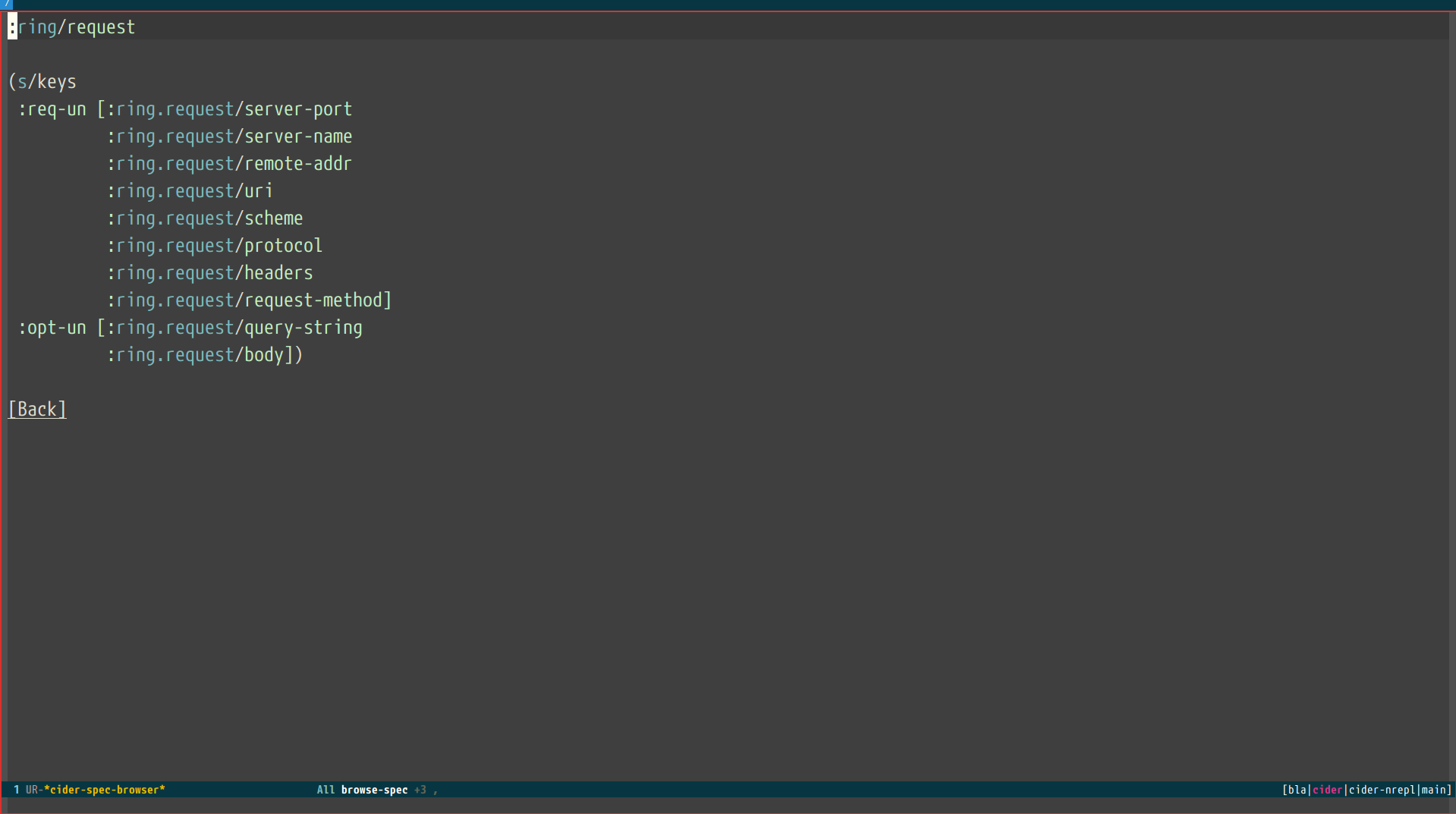
If you aren’t quite sure which spec you want, you can type
M-x cider-browse-spec-all. CIDER will then prompt you for
a regex and will filter out all the spec names that don’t match.
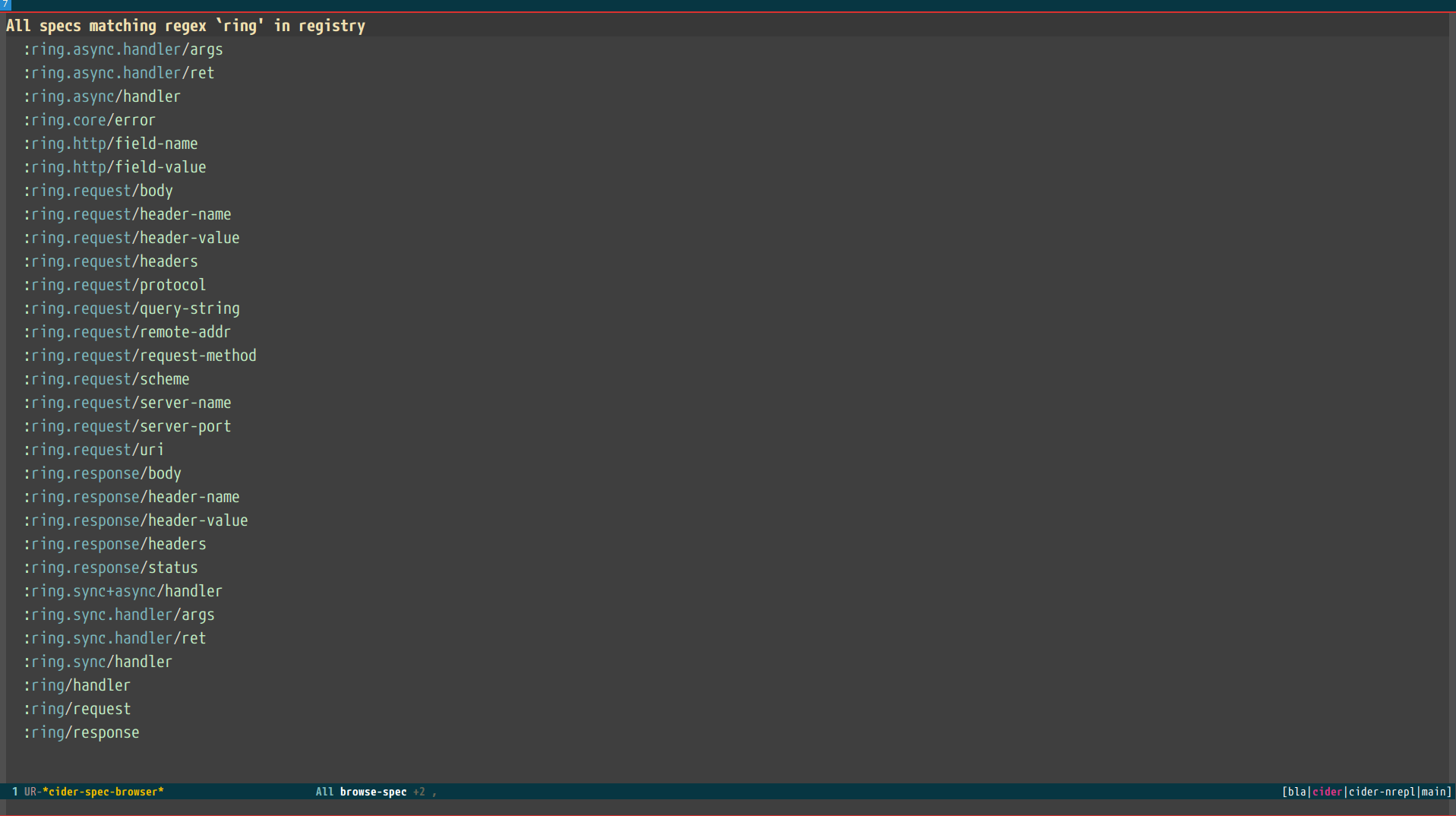
To explore how a spec is composed, M-x cider-browse-spec-tree shows the
spec and the specs it references as an expandable tree: TAB on a node
reveals the namespaced specs that spec depends on (fetched a level at a time),
and RET opens that spec’s full definition in the regular browser. A spec
that recurs onto its own path is shown as a leaf, so the tree never loops.
Once in the browser you can use your mouse or the keybindings below to navigate deeper.
| Keyboard shortcut | Description |
|---|---|
RET |
Browse the spec at point. |
^ |
Go up in the navigation stack. |
n |
Go to next spec. |
p |
Go to previous spec. |
e |
Generate an example for the current browser spec. |
If your project includes the org.clojure/test.check library, you can
type e when browsing a spec to generate an example that
meets the spec.
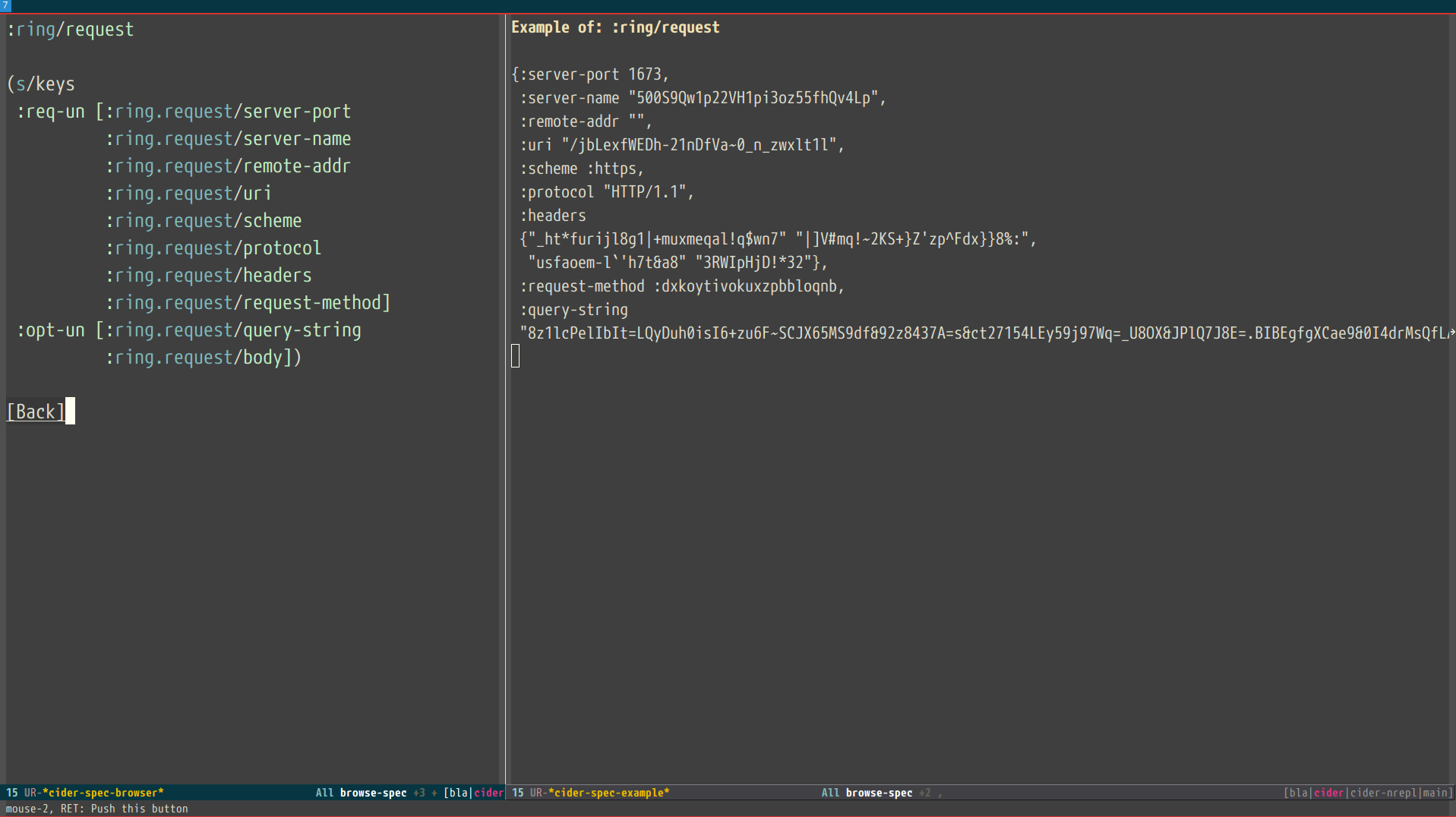
Clojure Spec Versions
Clojure Spec has a bit of a history and is available in a couple of flavours:
-
spec(akaclojure.spec, the original release, never shipped with Clojure) -
spec-alpha(akaclojure.spec.alpha, the original release under a different name, ships with Clojure) -
spec-alpha-2(akaclojure.alpha.spec, the evolution, separate library, but still experimental)
Cider supports the whole mix, but with a twist.
-
When Cider shows a list of specs, the keys from all registries are shown. Registries are merged together from newest to oldest.
-
When Cider operates on a spec, like looking up a spec or generating data for it, the operation is tried against all registries, from newest to oldest, with the first successful operation winning.
Cheatsheet
There are two ways to access Clojure cheatsheet in CIDER.
The first one is available through cider-cheatsheet command and displays the cheatsheet in a popup buffer. This is how it looks with two windows displaying the cheatsheet buffer side by side:
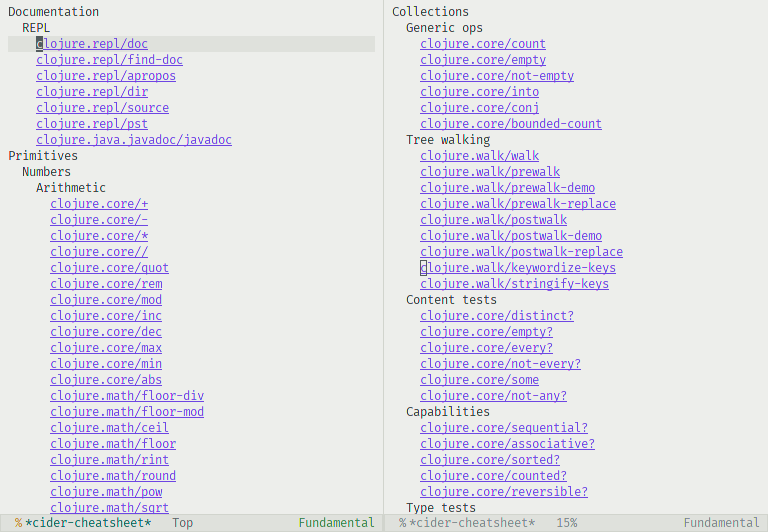
The second way is available through cider-cheatsheet-select command, which uses completions in the minibuffer to find a var in the cheatsheet. By default, it provides a multi-step selection process where you need to go section by section until you find a var. This is how it looks in the minibuffer:
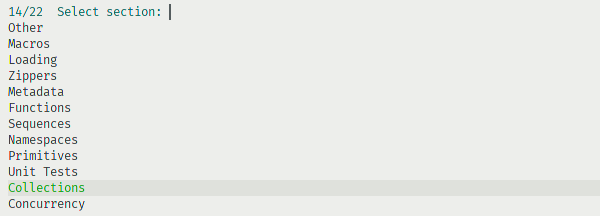
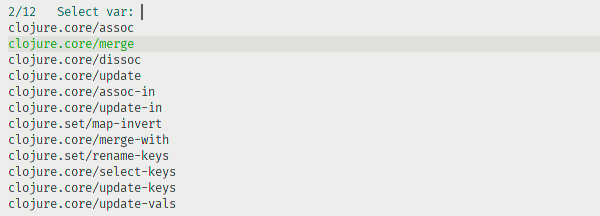
By using a prefix argument when calling cider-cheatsheet-select, we can change the behavior of cider-cheatsheet-select so each candidate is represented as a full path to a var. This can be useful with fuzzy completion style and vertical candidates display, as in that case, we can search in any element of the path, possibly getting matches from multiple categories at the same time. This is how it looks with such a workflow:
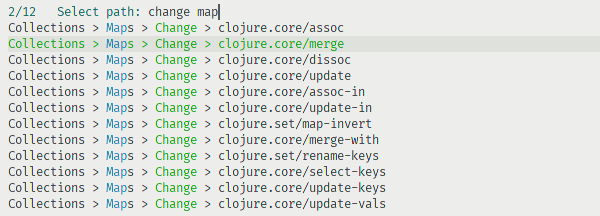
It is possible to control which function is used on a var when it is selected by customizing cider-cheatsheet-default-action-function. By default, documentation for a var is displayed using cider-doc-lookup, but it can also be set to cider-clojuredocs-lookup to show documentation from ClojureDocs or any other function accepting a var as an argument.
By default the cheatsheet buffer is selected when it pops up (per
cider-auto-select-buffer, which governs all of CIDER’s popup buffers).
Remove cheatsheet from that option’s list form (or set the obsolete
cider-cheatsheet-auto-select-buffer to nil) if you’d rather keep focus in
the current buffer.