Code Navigation and Browsing
CIDER offers a rich set of commands for finding your way around a codebase and
exploring a running program’s structure. Jumping to a definition is covered in
Using cider-mode (M-. /
xref-find-definitions); this page collects the commands that go further -
finding where something is used, walking the call graph, and browsing the
classpath, namespaces, and buffers of a session.
| Most of these commands are powered by runtime state analysis, which means they only see data for namespaces that have been loaded into the REPL (like much of CIDER’s functionality). |
Find References
| The functionality is based on ideas from this article. |
There are two ways to use find references in CIDER:
-
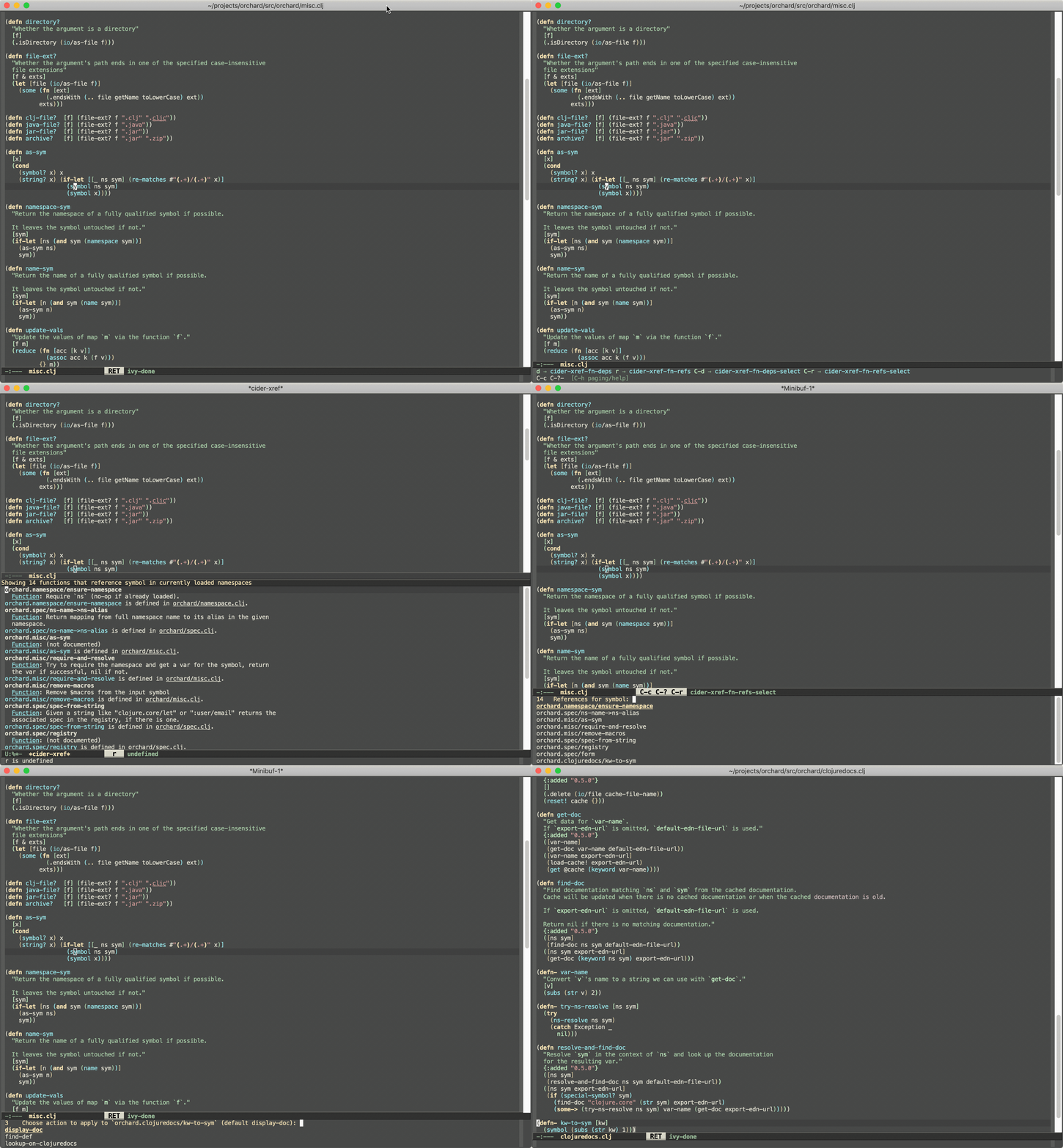
cider-xref-fn-refs(C-c C-? r) shows the usages of the function at point in a dedicated buffer -
cider-xref-fn-refs-select(C-c C-? C-r) shows the usages in the minibuffer
Here’s how they look in action:
Keep in mind the following limitations:
-
This works only for Clojure
-
It’s powered by runtime state analysis, which means it will show only data for loaded namespaces (like most of CIDER’s functionality)
-
It doesn’t (currently) find usages in lambdas
-
It doesn’t give us the precise locations where something is used, we only know that it’s used
On the bright side:
-
It’s super fast
-
It doesn’t require any static code analysis
-
It’s still more reliable than
grep
The functionality is not perfect, but at least it’s there if you need it. As a bonus you get a quick way to navigate to
all of the functions used by some function using cider-xref-fn-deps (C-c C-? d) and cider-xref-fn-deps-select (C-c C-? C-d).
Those are pretty handy if you don’t want to jump to the source of some function to see what functions it refers to (uses) internally.
Searching the project source
The runtime analysis only sees namespaces that have been loaded into the REPL,
and each reference it reports points at the referring function’s definition
rather than the exact call site. To also cover code that hasn’t been evaluated
yet, CIDER can search the project’s source files on disk. It uses the
lightweight info/lookup op (a single, cheap round-trip) to resolve the
symbol at point to its canonical namespace and name, then scans the project’s
files with a Clojure-aware text search, taking each file’s namespace aliases and
:refers into account and pinpointing every occurrence.
cider-xref-fn-refs-in-source (C-c C-? s) runs this search directly and
shows the results in the standard xref buffer. When no REPL is connected it
falls back to matching the bare name, which is less precise but still useful.
By default, xref-find-references (M-?) uses this source search, since it
reports the exact occurrences across the whole project, including code that
hasn’t been loaded. The cider-xref-references-mode variable lets you fold in
the runtime references too:
;; source matches only (the default)
(setq cider-xref-references-mode 'source)
;; runtime references only (the historical behavior)
(setq cider-xref-references-mode 'runtime)
;; both, combined
(setq cider-xref-references-mode 'both)
The two answer slightly different questions: the source search finds every
occurrence (in any Clojure dialect), while the runtime search reports the
calling functions (each hit points at the caller’s definition rather than the
call site) and is limited to Clojure on the JVM and to loaded project
namespaces. In both mode the source matches lead, and runtime hits for files
the source search already scanned are dropped, so a loaded reference isn’t
reported twice at two different granularities; what survives is mainly
references the compiler generated from macros, which leave no textual trace.
Because the source search is textual, it’s a smart heuristic rather than a
resolved index. It only looks at the project’s own source files, so it won’t
find references that live in dependencies. It can include false positives such
as shadowing locals or a same-named var referred from a different namespace, and
it can miss references hidden in .cljc reader-conditional branches or built
from strings at runtime. A faster search program helps on large projects; set
xref-search-program to ripgrep if you have it installed.
Don’t forget you also have a couple of third-party alternatives:
-
The much more sophisticated AST-powered "find usages" provided by
clj-refactor.el -
Projectile’s "grep in project" (
projectile-grep, typically bound to C-c p g)
Browsing the call graph
The flat commands above answer "who uses this, right here". To explore further - "who calls the callers, and who calls them" - CIDER offers two SLIME-style browsers that present the same runtime data as an interactive tree:
-
cider-who-calls(C-c C-w c) shows the callers of the function at point -
cider-who-is-called(C-c C-w d) shows what the function at point calls
Each node can be expanded with TAB to reveal the next level of the graph, so you walk it one step at a time rather than computing the whole thing up front; every level is a single round trip, taken only when you ask for it. n and p move between nodes, RET (or .) jumps to a node’s definition, and a function that calls back onto its own path is shown as a leaf so expansion can’t loop forever.
|
Like the flat |
Macros are a special case: they’re expanded away at compile time, so the runtime
ops never see their call sites and cider-who-calls comes up empty for them.
cider-who-macroexpands (C-c C-w m) finds a macro’s use sites by searching
the project’s source instead (the same mechanism as
cider-xref-fn-refs-in-source).
cider-who-implements (C-c C-w i) goes the other way around: point it at a
protocol and it lists the types that implement it; point it at a multimethod and
it lists its methods, all on the same expandable tree. With a recent enough
cider-nrepl it covers inline defrecord/deftype implementers too and jumps
straight to each implementation’s source. For a multimethod, each method jumps to
its defmethod - found by searching the project’s source, since the method
functions themselves carry no source metadata at runtime.
|
When the |
Two more protocol-oriented commands round out the family. cider-type-protocols
(C-c C-w t) is the reverse of cider-who-implements: point it at a type
(a record or class) and it lists the protocols that type implements, including
inline defrecord/deftype implementations. cider-protocols-with-method
(C-c C-w p) takes a method name (by default the one at point) and lists the
protocols that declare it - handy when you spot a bare method call and want to
know which protocol it belongs to. Both jump to the matching protocol’s
definition, and both see loaded Clojure-on-the-JVM code only. With a recent
enough cider-nrepl they use a dedicated middleware op; otherwise they fall back
to a client-side query that works against any nREPL.
The call-graph bindings are also available under the C-c C-? xref prefix, as C-c C-? R and C-c C-? D.
CIDER Selector
The cider-selector (C-c M-s) command allows you to quickly navigate to
important buffers in the context of a Clojure project - e.g. the REPL, the
stacktrace buffer, the doc buffer, the most recently visited Clojure file, etc.
The usage of the command is extremely simple - after invoking it you need to type a
single key identifying the target buffer (e.g. r for the REPL).
|
One thing to keep in mind about the default keybinding C-c M-s is that it’s available only
in buffers where |
Here’s a list of all of cider-selector's keybindings:
| Keyboard shortcut | Description |
|---|---|
c |
Most recently visited Clojure buffer. |
e |
Most recently visited Emacs Lisp buffer. |
r |
Current REPL buffer or most recently visited REPL buffer. |
m |
|
x |
|
d |
|
s |
|
q |
Abort. |
? |
Show help. |
|
Any of those keys can be prefixed with a |
You can easily extend the selector with new commands using def-cider-selector-method:
(def-cider-selector-method ?z
  "CIDER foo buffer."
  cider-foo-buffer)
Browsing the Classpath
You can easily browse the items on your classpath with the command
M-x cider-classpath.
Here you can see it in action:
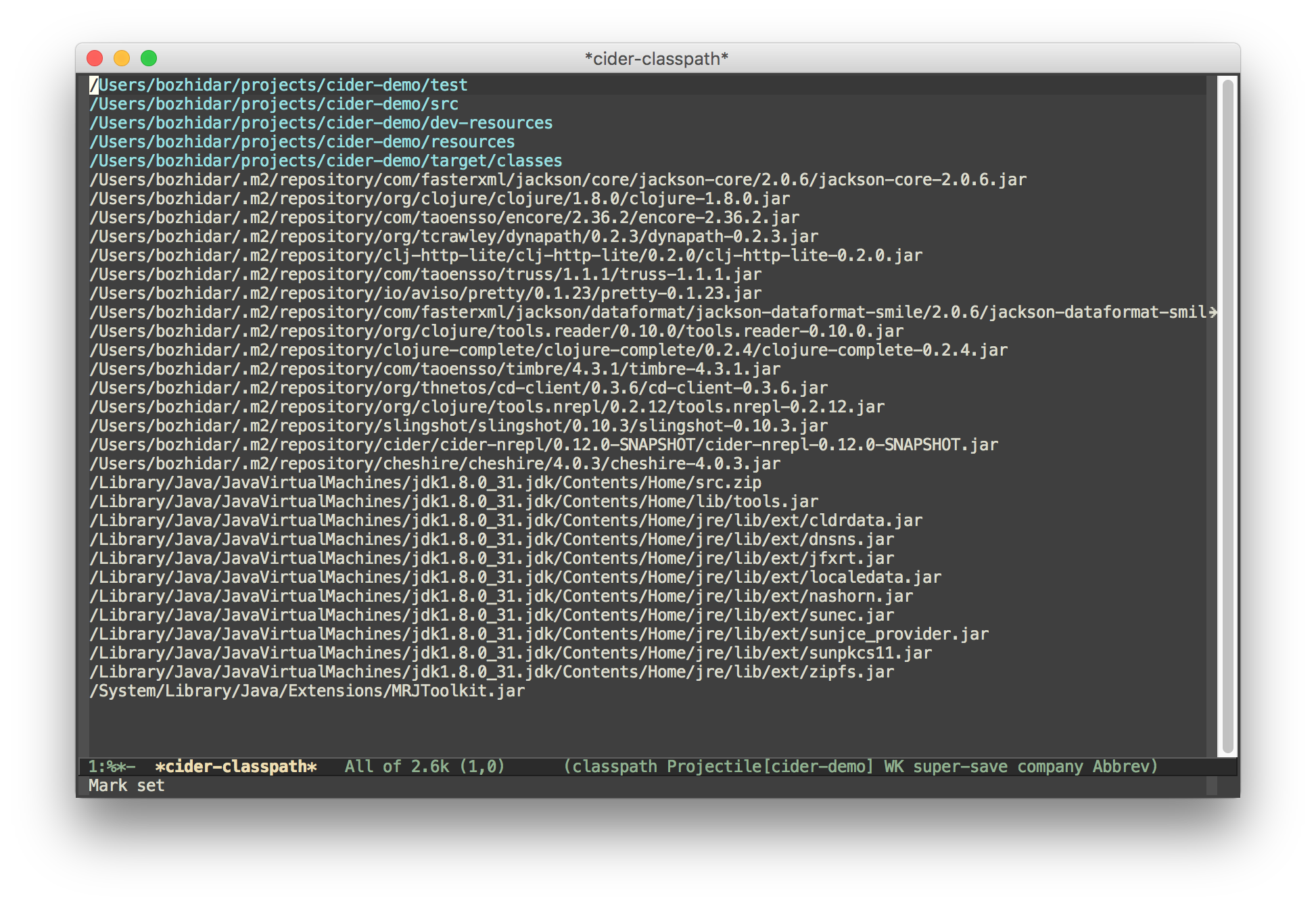
Press RET on a classpath entry to navigate into it. You can also
jump straight to a classpath entry, selected via completion, with
M-x cider-open-classpath-entry.
Browsing Namespaces
You can browse the contents of any loaded namespace with the command
M-x cider-browse-ns. CIDER will prompt you for the namespace
to browse.
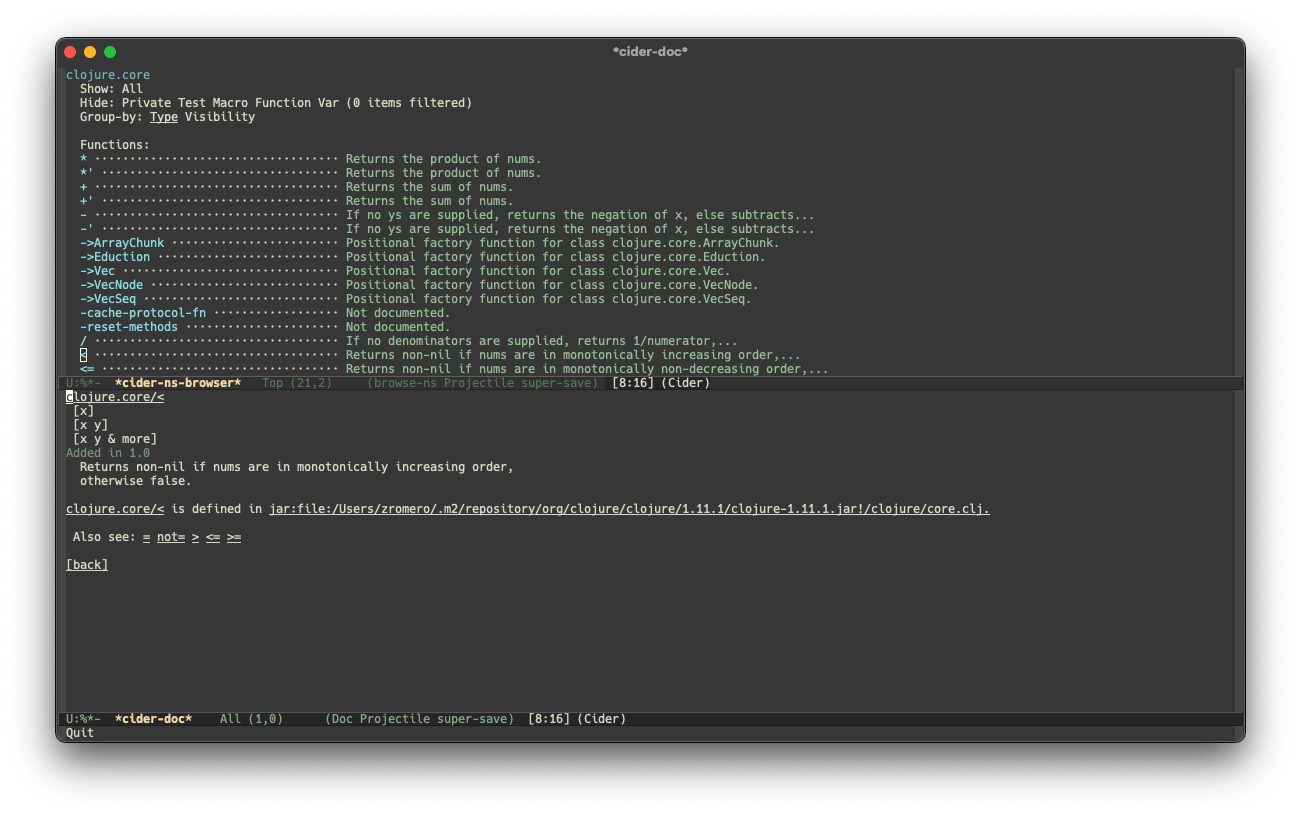
You can also browse all available namespaces with M-x
cider-browse-ns-all.
The contents are shown as a navigable tree: when you group them (see below)
each group is a foldable node you can collapse with TAB. The header
contains buttons which let you control how the buffer is displayed (see below
for keybindings). You may also configure the cider-browse-ns-default-filters
variable to a list of the element types you want to be hidden by default.
There are a bunch of useful keybindings that are defined in browser buffers.
| Keyboard shortcut | Description |
|---|---|
d |
Display documentation for item at point. |
RET |
Browse ns or display documentation for item at point. |
s |
Go to definition for item at point. |
^ |
Browse all namespaces. |
a |
Toggle showing all items (ignore active filters). |
n |
Go to the next node. |
TAB |
Fold or unfold the group at point. |
h p |
Toggle visibility of private items. |
h t |
Toggle visibility of tests. |
h m |
Toggle visibility of macros. |
h f |
Toggle visibility of functions. |
h v |
Toggle visibility of vars. |
g t |
Group items by type (function, macro, var, etc.). |
g v |
Group items by visibility (public vs. private). |
p |
Go to the previous node. |
Xref integration
Beginning with version 1.2.0, CIDER supports Emacs’s built-in xref
functionality, which means M-. will invoke xref-find-definitions instead of
CIDER’s own command cider-find-var. You can disable the use of CIDER’s xref backend like this:
(setq cider-use-xref nil)
You’ll have to disable and enable cider-mode for this setting to have effect.
|
If you use other packages that also integrate with xref (e.g. lsp-mode), you may wish to customize the precedence of CIDER’s xref backend. The precedence is controlled by the
order in which backend functions appear in the xref-backend-functions hook. By default, the CIDER xref function will be added with a depth of -90, so it will (should?) come first.
If you would prefer for it to have a lower precedence, you can change cider-xref-fn-depth:
(setq cider-xref-fn-depth 90)| See Setting Hooks for more information about depth. |