Tap Viewer
Clojure’s tap> is a lightweight way to send a value somewhere without
littering your code with prints or disturbing the value flow. CIDER can collect
those values for you: M-x cider-tap opens a *cider-tap* buffer that
streams every value sent to tap>.
Any (tap> some-value) in your code shows up in that buffer as it happens, as
does anything you tap from the inspector. The
buffer follows the tail, so the newest value is always in view.
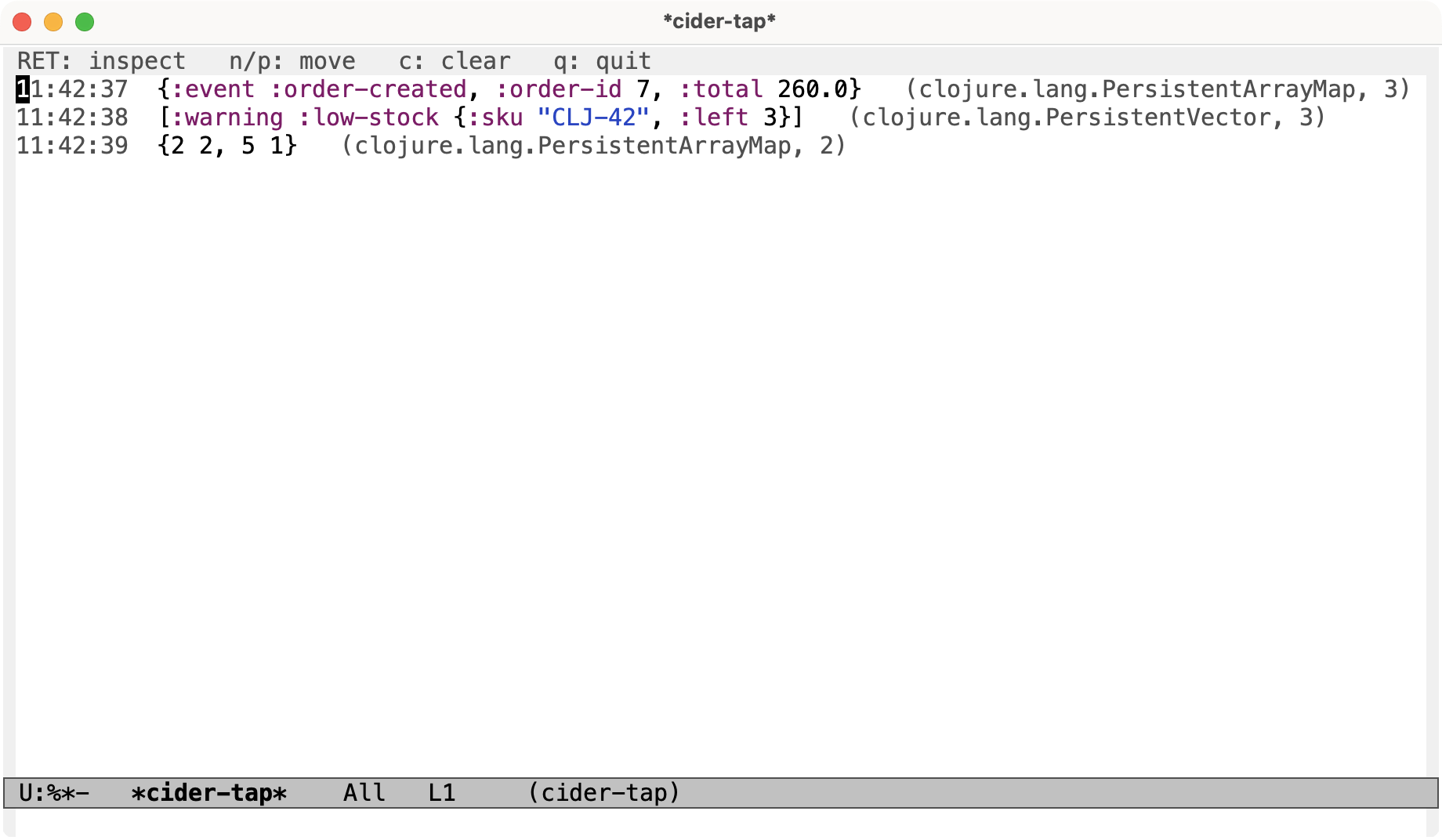
This requires a recent enough cider-nrepl (the one that ships the tap
middleware). Without it the command won’t have anything to subscribe to.
|
Using the buffer
Inside the *cider-tap* buffer:
| Keyboard shortcut | Command | Description |
|---|---|---|
RET |
|
Open the value on the current line in the inspector. |
n |
|
Move to the next tapped value. |
p |
|
Move to the previous tapped value. |
c |
|
Clear the buffer. |
q |
|
Bury the buffer. |
Killing the buffer stops the streaming; reopening it with cider-tap
re-subscribes (including after you reconnect to a different REPL).
| ClojureScript taps stream into the buffer too, but they can’t be inspected with RET - the tapped value lives in the JavaScript runtime, so there’s no handle to send to the inspector. |
Tapping a form
You don’t have to edit your source to tap a value. Two commands wrap the form at
point in a tap> for you, evaluating it and sending the result to any tap
targets (including the viewer above):
-
cider-tap-last-sexptaps the result of the last sexp. -
cider-tap-sexp-at-pointtaps the sexp around point.
The original value is returned unchanged, so these are safe to drop into a larger expression.